

Putting fun back into music.

Four interactive music modules for primary classrooms, covering rhythm, singing, notation and the orchestra. Designed for the interactive whiteboard and ready the moment you open it.

Foundation to Year 6 · No accounts · Runs in any modern browser

  • 4Teaching modules
  • 16Classroom games
  • 37Music symbols
  • 21Orchestral instruments
Module 1 · Rhythm

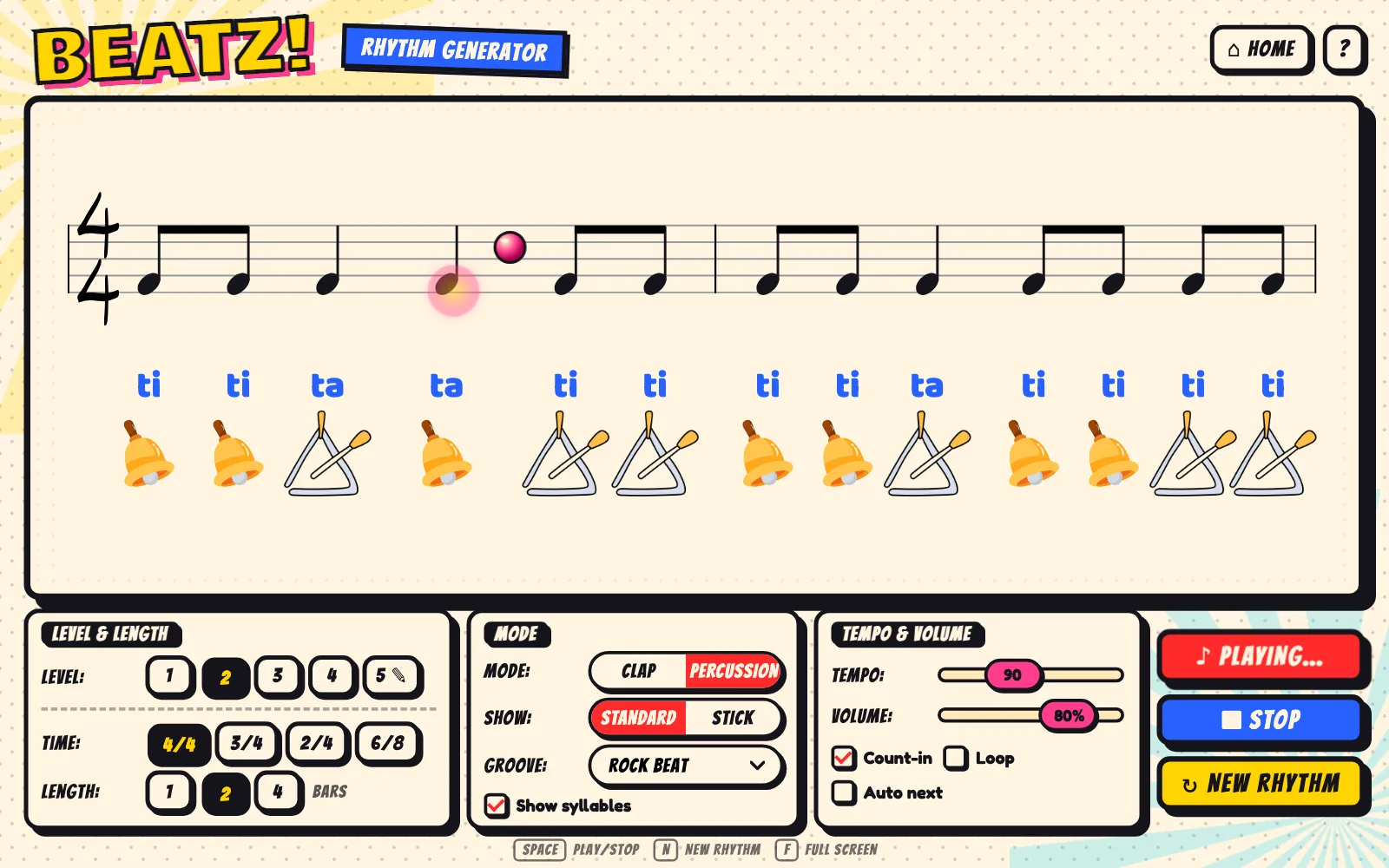
Beatz

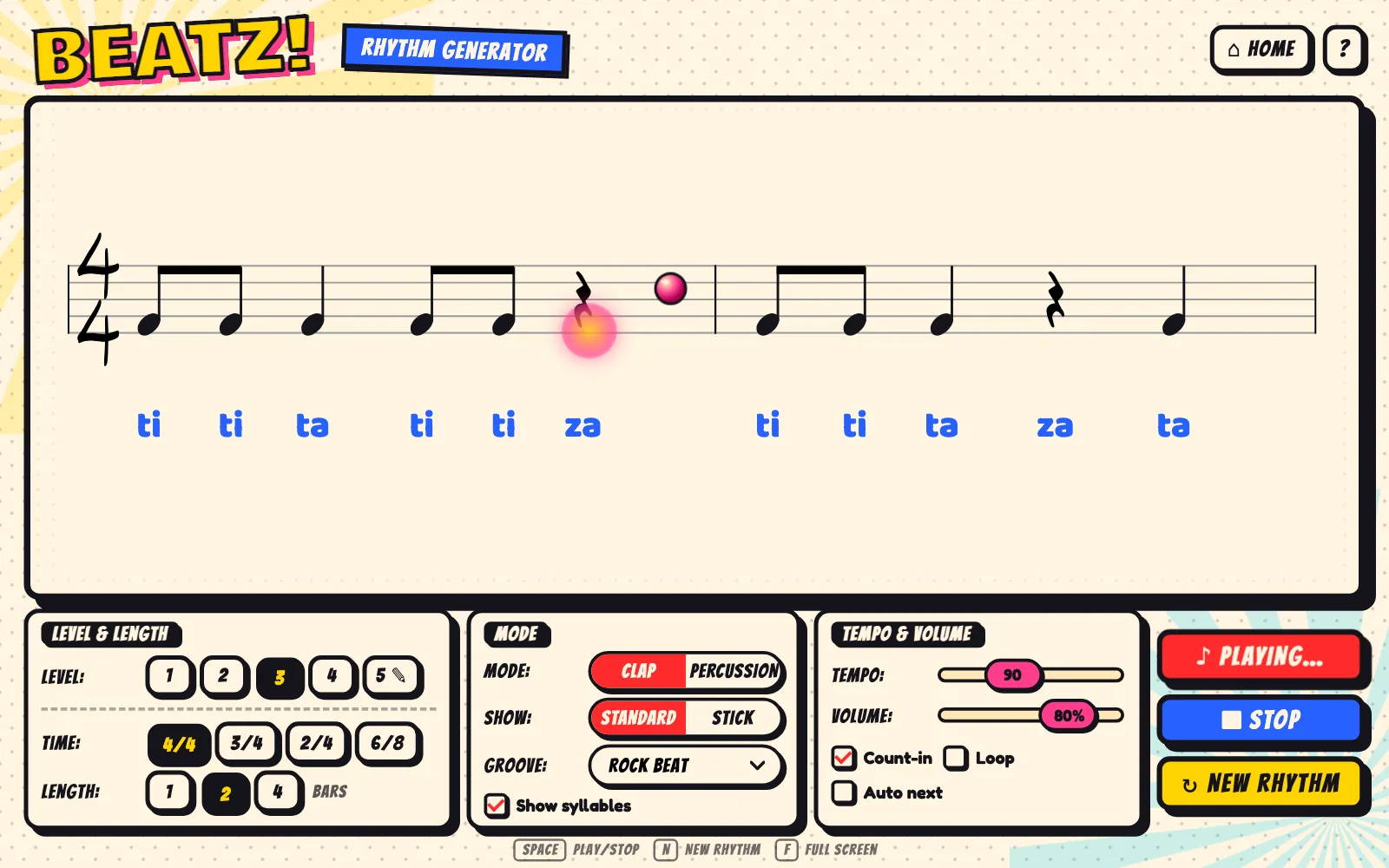
A rhythm generator that never runs out. Each new rhythm appears in clear notation, with a count-in to start and a bouncing ball to keep the whole class together.

  • Five levels build from ta and za to tika-tika, plus a custom mix where you choose the exact patterns.
  • Standard or stick notation, with rhythm syllables under each note.
  • Backing grooves make rhythm playing more fun by using one of our drum grooves to help students stay in time.
  • Percussion mode places instrument icons under the notes so groups know when to play.
  • 4/4 · 3/4 · 2/4 · 6/8
  • 1, 2 or 4 bars
  • Tempo 40–180
  • Loop & auto-next
Open Beatz →
Module 2 · Singing

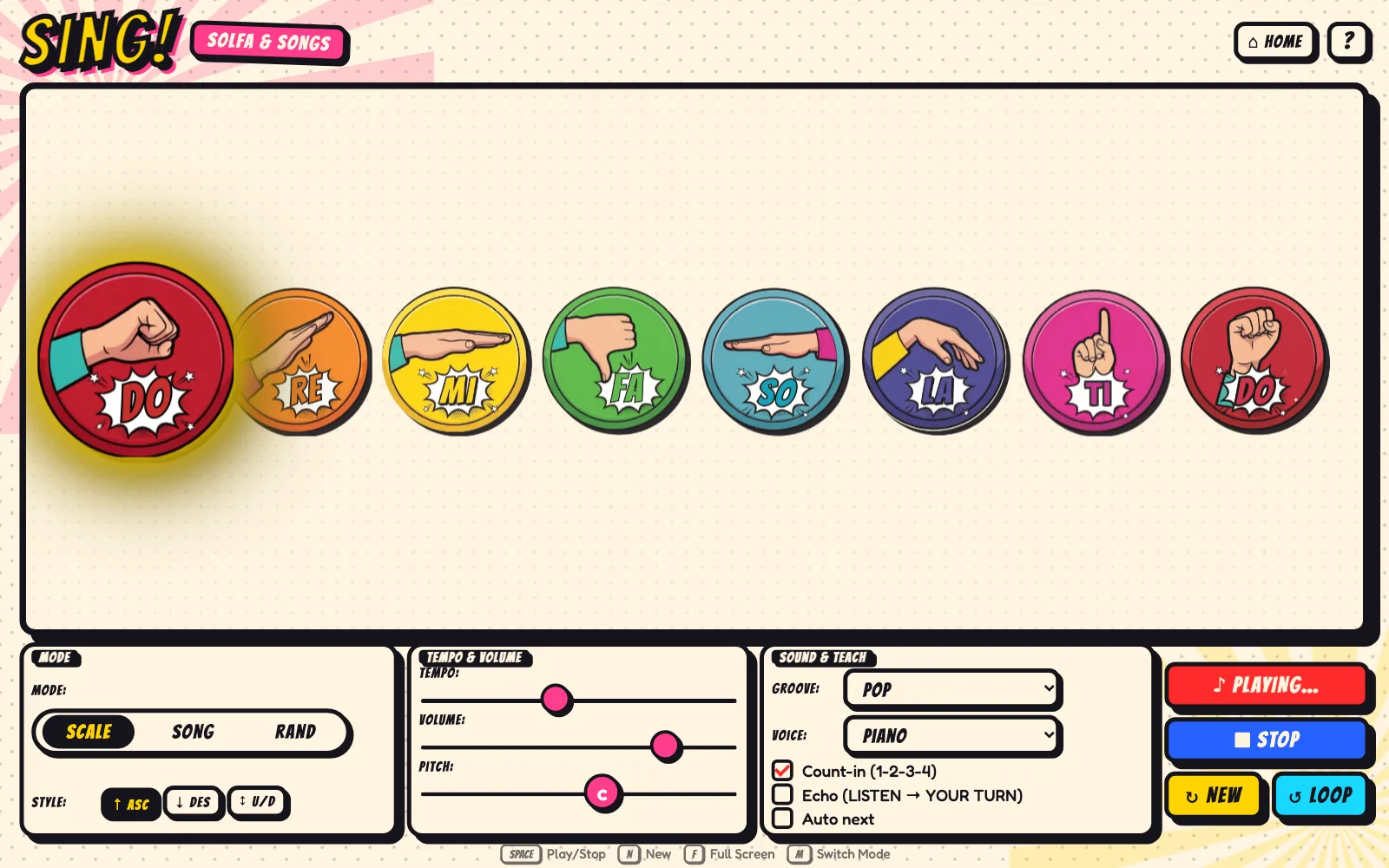
Sing

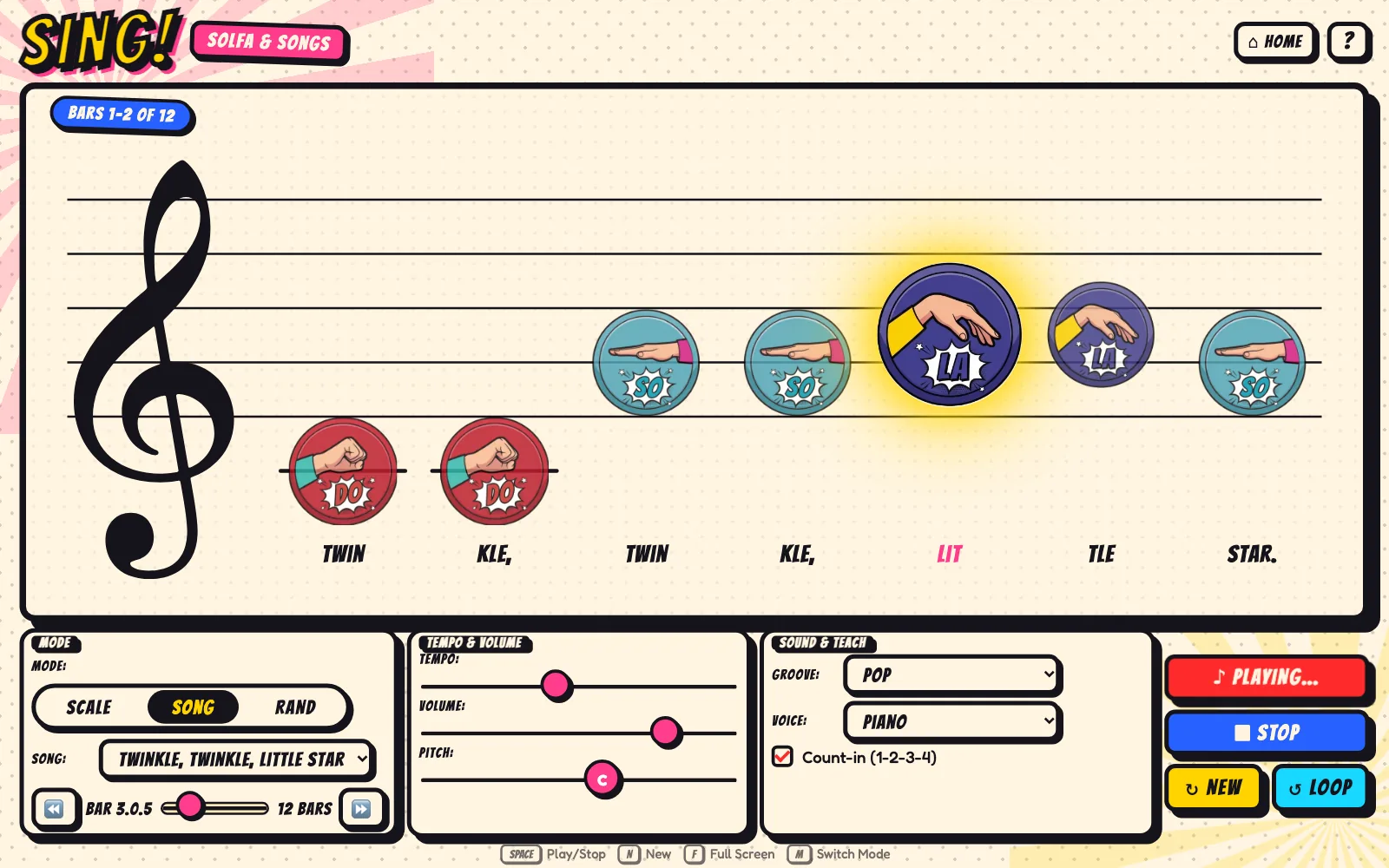
Large solfa hand signs from do to high do, each in its Boomwhacker colour. The current note is highlighted, so students always know what to sing and sign.

  • Scale mode ascending, descending, or both.
  • Song mode places hand signs on the stave with lyrics. Includes eight familiar children's songs.
  • Random melodies provide fresh sight-singing material every time.
  • Echo mode alternates between listening and singing back.
  • Piano, flute or xylophone
  • Adjustable key
  • Optional backing groove
  • Tempo 40–160
Open Sing →
Module 3 · Notation

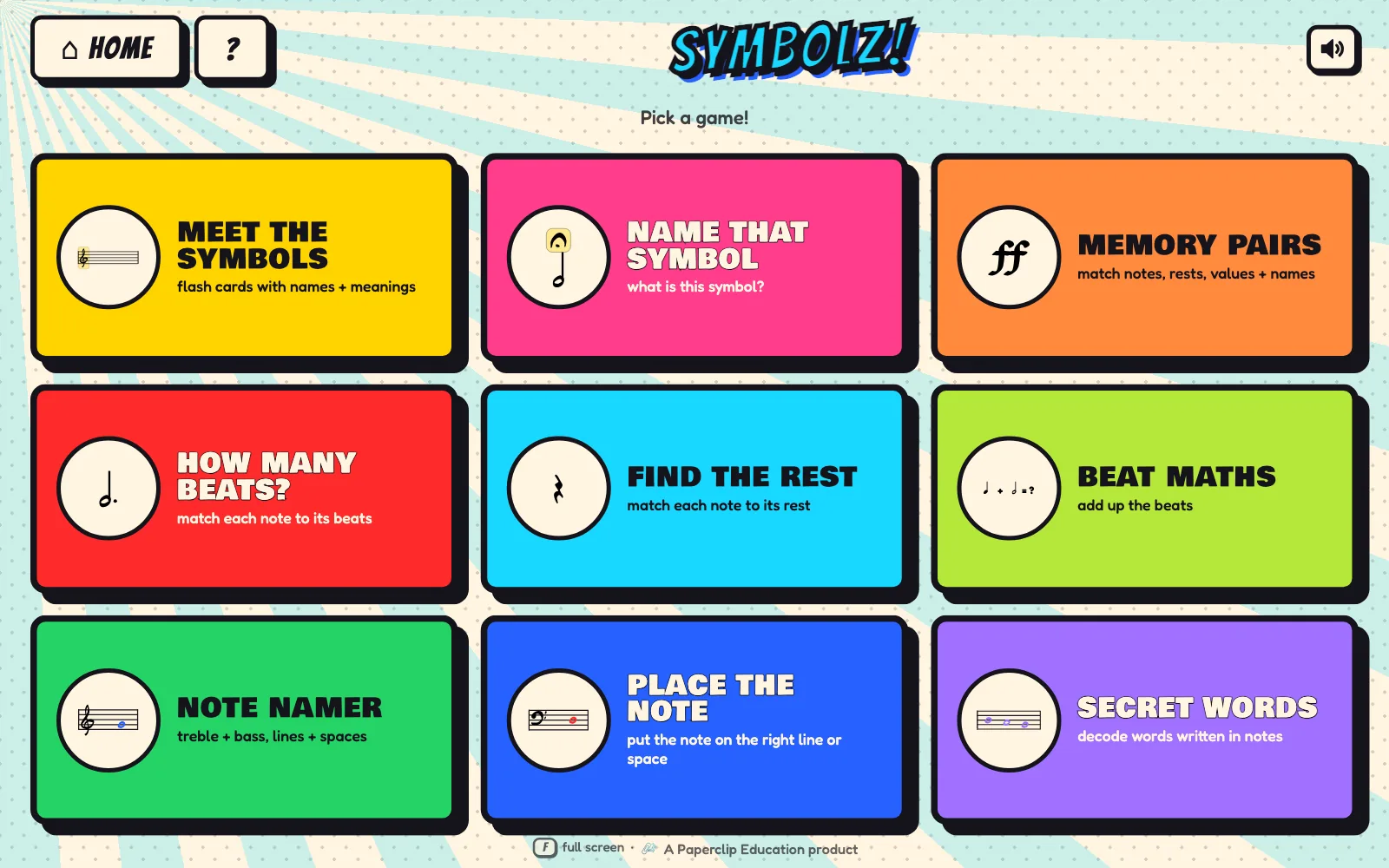
Symbolz

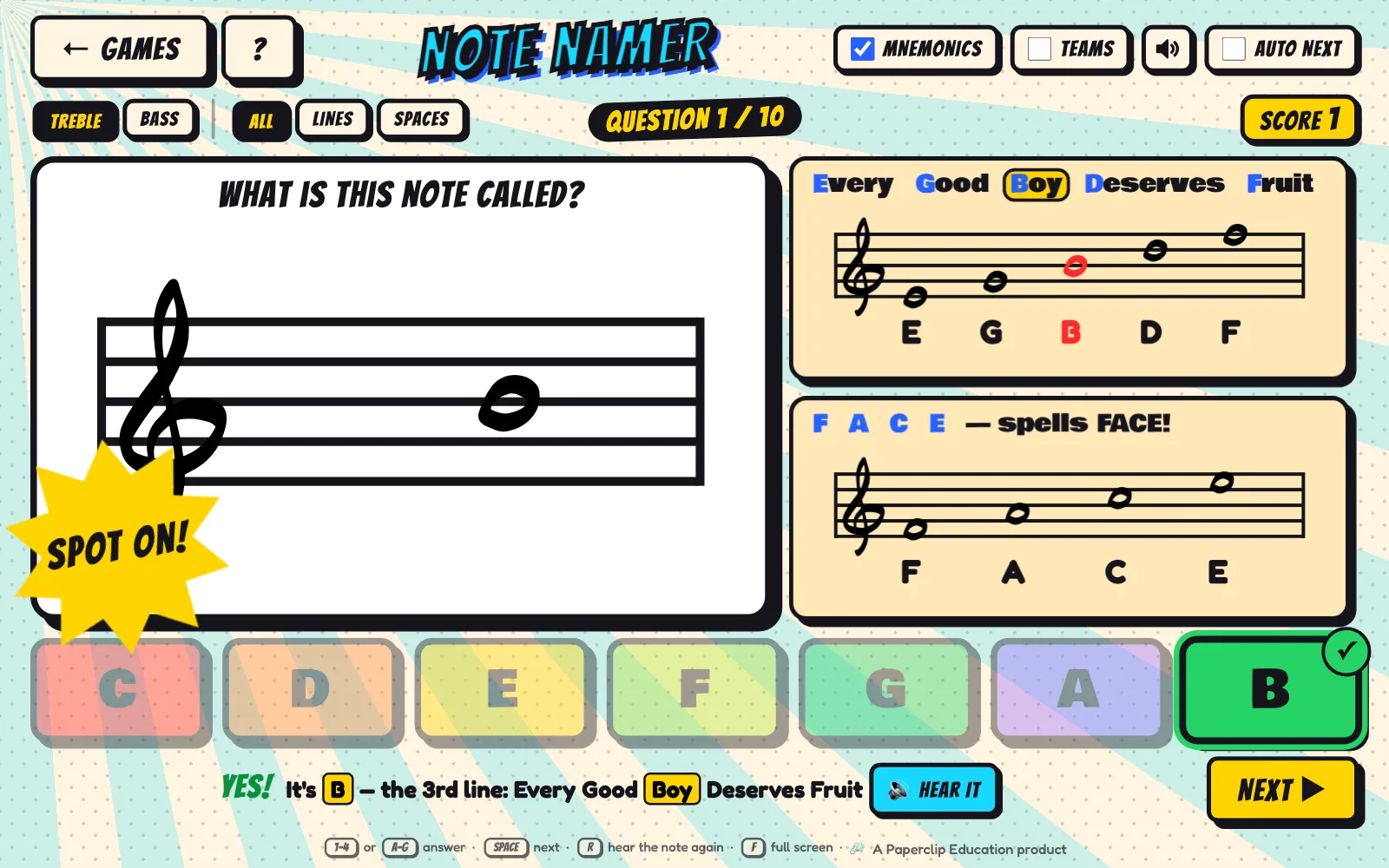
Nine quick games that make music notation memorable, from naming a crotchet to reading notes in treble and bass clef. Every answer gets instant feedback.

  • Learn: flash cards and Name That Symbol.
  • Count: How Many Beats?, Find the Rest and Beat Maths.
  • Read: Note Namer, Place the Note and Secret Words.
  • Compete: Memory Pairs and a two-team scoreboard.
  • Treble & bass clef
  • Dynamics & articulation
  • Mnemonic cards
  • 10-question rounds
Open Symbolz →
Module 4 · Listening

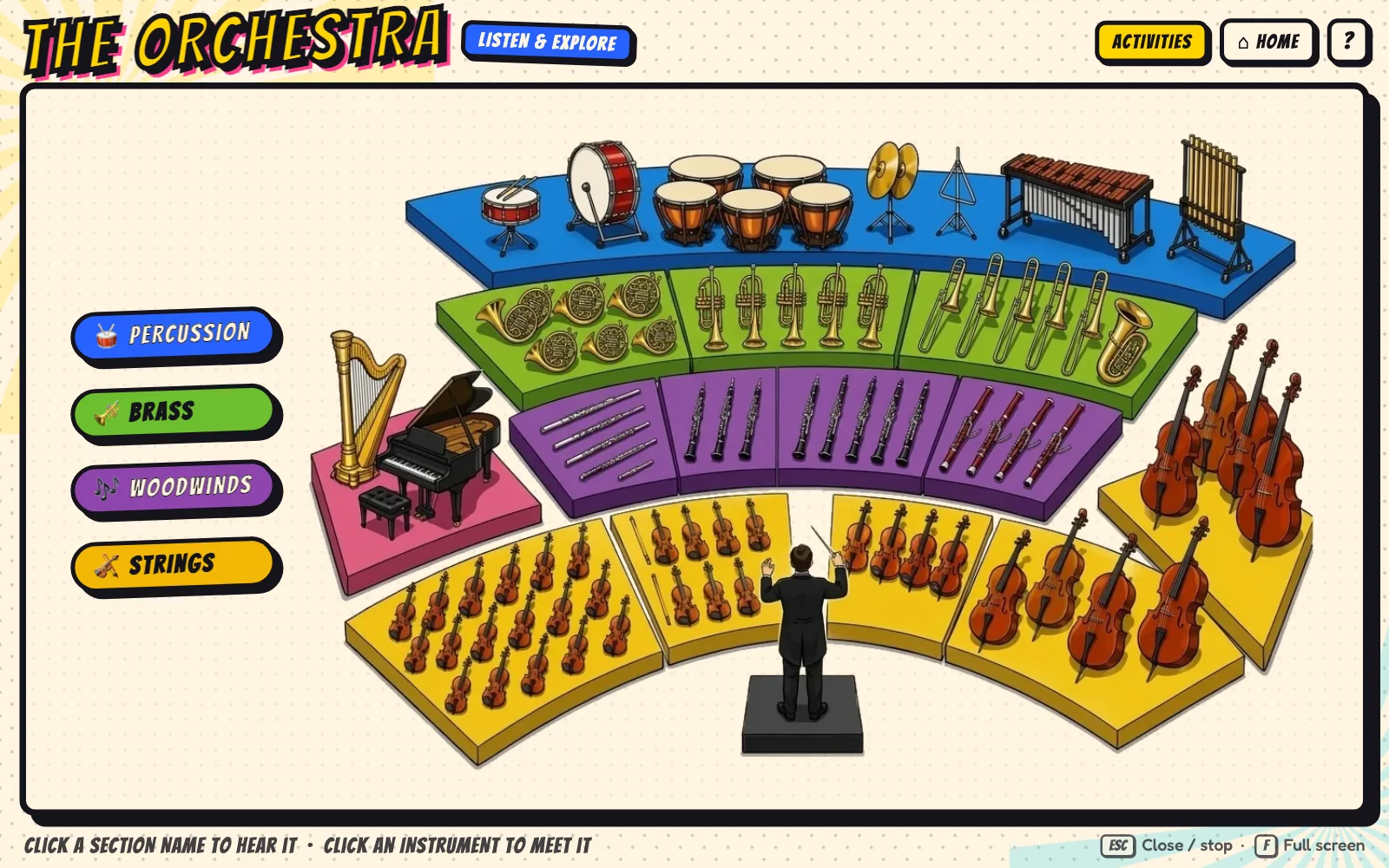
The Orchestra

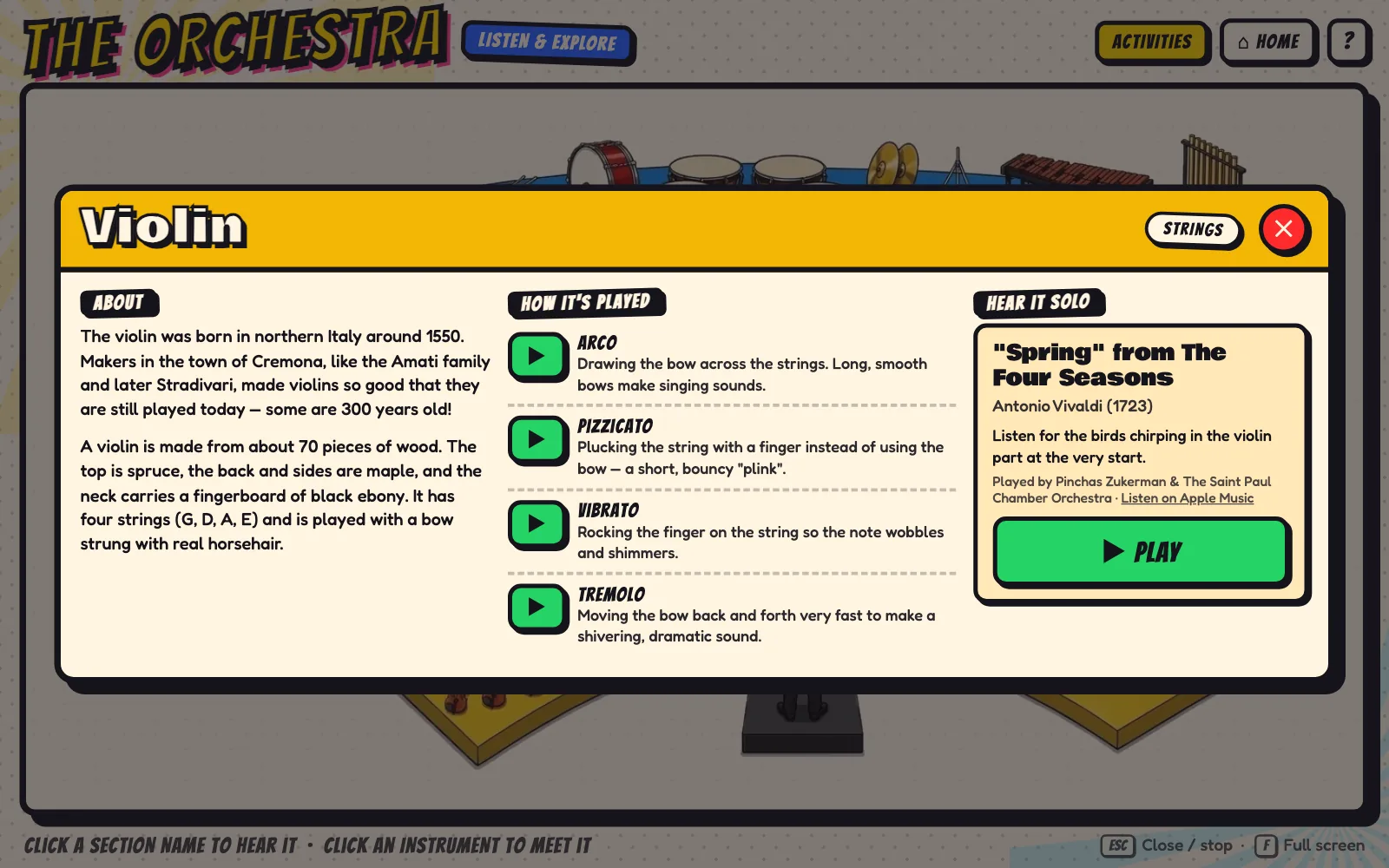
An illustrated seating plan students can explore. Select a section to hear a well-known excerpt, or select an instrument to see how it works and hear it played solo.

  • 21 instruments and the conductor, each with history, playing techniques and a solo recording.
  • Excerpts from well-known works by Vivaldi, Bach, Haydn, Prokofiev, Ravel and more.
  • Seven games, including Seat the Orchestra, Low to High, Mystery Instrument and Who's Playing?
  • Conduct along in 2, 3 or 4 time using beat-pattern diagrams.
  • Strings · Woodwind · Brass · Percussion
  • Drag-and-drop
  • Team mode
Open The Orchestra →
In the classroom

Built for the front of the room.

Large controls, clear visuals and nothing to configure. Open it on your interactive whiteboard and start teaching.

No install or login

Runs in the browser. Teachers and students never need an account.

Touch-friendly

Large targets and drag-and-drop games that work with touch or a mouse.

One-key full screen

Press F and the module fills the whole board.

Team play

Red and Blue team scoring in Symbolz and The Orchestra for whole-class games.

Teacher controls

Tempo, volume, key, count-in and looping are always on screen.

Instant feedback

Bright visuals and immediate responses keep students engaged from Foundation to Year 6.

Space Play / stop
N New rhythm or melody
F Full screen
Esc Close / back
Coming soon

Printable worksheets and classroom posters

Ready-to-print resources for every module, to keep the learning going away from the whiteboard.

Curriculum

Aligned with the Australian Curriculum.

Supports The Arts – Music from Foundation to Year 6, using Australian terminology (crotchet, quaver, minim) and Kodály rhythm syllables.

Foundation – Year 2

Explore and play

Beatz
Steady beat with ta, ti-ti and za, with a count-in.
Sing
Sing and sign the scale; echo singing; Hot Cross Buns.
Symbolz
Flash cards and How Many Beats?
The Orchestra
Bow, Blow, Pluck or Hit? and the four sections.

Years 3 – 4

Read and respond

Beatz
Minims and tika-tika in 3/4 and 2/4; stick to standard notation.
Sing
Hand signs on the stave; random melodies for sight-singing.
Symbolz
Note Namer and Place the Note in treble clef; Find the Rest.
The Orchestra
Low to High, Who's Playing? and instrument families.

Years 5 – 6

Analyse and create

Beatz
6/8, syncopation, ties and custom rhythms for performance.
Sing
Changing key; descending scales; longer songs.
Symbolz
Bass clef, dynamics, articulation, Beat Maths and Secret Words.
The Orchestra
Seat the Orchestra, Mystery Instrument and conducting.
  • Rhythm & beat
  • Pitch & solfa
  • Reading notation
  • Dynamics & expression
  • Tone colour
  • Listening & responding
  • Performing

Year bands are suggestions. Every module is available at every level, so you can match it to your class.

Free

Free for teachers, while we build it with you.

We're excited to share The Music Machine ahead of its official launch in 2027. Until then, every module and every game is free for you and your students, with no sign-up and no payment details.

We'd love your help shaping what comes next. Tell us what works in your classroom, what could be better, and which topics you'd like to see as new modules.

  • All four modulesBeatz, Sing, Symbolz and The Orchestra, with every game included.
  • No account or payment detailsNothing to register and no trial countdown.
  • Pricing announced January 2027We'll share pricing well before the official launch.
FAQ

Frequently asked questions

What do I need to run it?

A computer connected to your whiteboard or projector, a modern browser (Chrome, Edge, Safari or Firefox), speakers and an internet connection. Instrument sounds and recordings stream online.

Do students need accounts?

No. There are no accounts for teachers or students.

Which year levels is it for?

Foundation to Year 6. Each module has adjustable levels, so the same tool works across your whole primary program.

Does it work on touch screens and tablets?

Yes. It's designed for interactive whiteboards, so controls are large and drag-and-drop games work with touch or a mouse.

Is it really free?

Yes. Ahead of our official launch in 2027, every module and game is free, with no sign-up or payment details.

What happens in 2027?

The Music Machine launches officially in 2027. We'll announce pricing in January 2027.

How can I suggest a new module?

We'd love to hear it! Email support@paperclipeducation.com or use the feedback button in the app.

Are there worksheets or posters?

They're on the way. Printable worksheets and classroom posters for each module are coming soon.

Can a relief teacher use it?

Yes. Each module opens with one click and needs no setup, so it's easy for anyone to run a music lesson.

Ready to play?

Bring rhythm, singing, notation and the orchestra into your next lesson.